
Home/Blog/How to Add a Shelly Smart Outlet
How to Add a Shelly Smart Outlet to NextUpReef
May 23, 2026 · 5 min read · NextUpReef Team
Automate your doser, heater, skimmer, or return pump straight from the NextUpReef app. Setup takes about 5 minutes and you never need to install the Shelly app.
Don’t have a Shelly outlet yet? Shop compatible hardware →
What you need
- ✓Shelly Plug US Gen4
- ✓NextUpReef app with Pro subscription or active trial
- ✓Your home WiFi name and password (2.4GHz)
Step-by-step setup
Open Smart Outlets
From the drawer menu, tap Control Center then Shelly Smart Outlets. Tap + Add in the top right to launch the setup wizard.
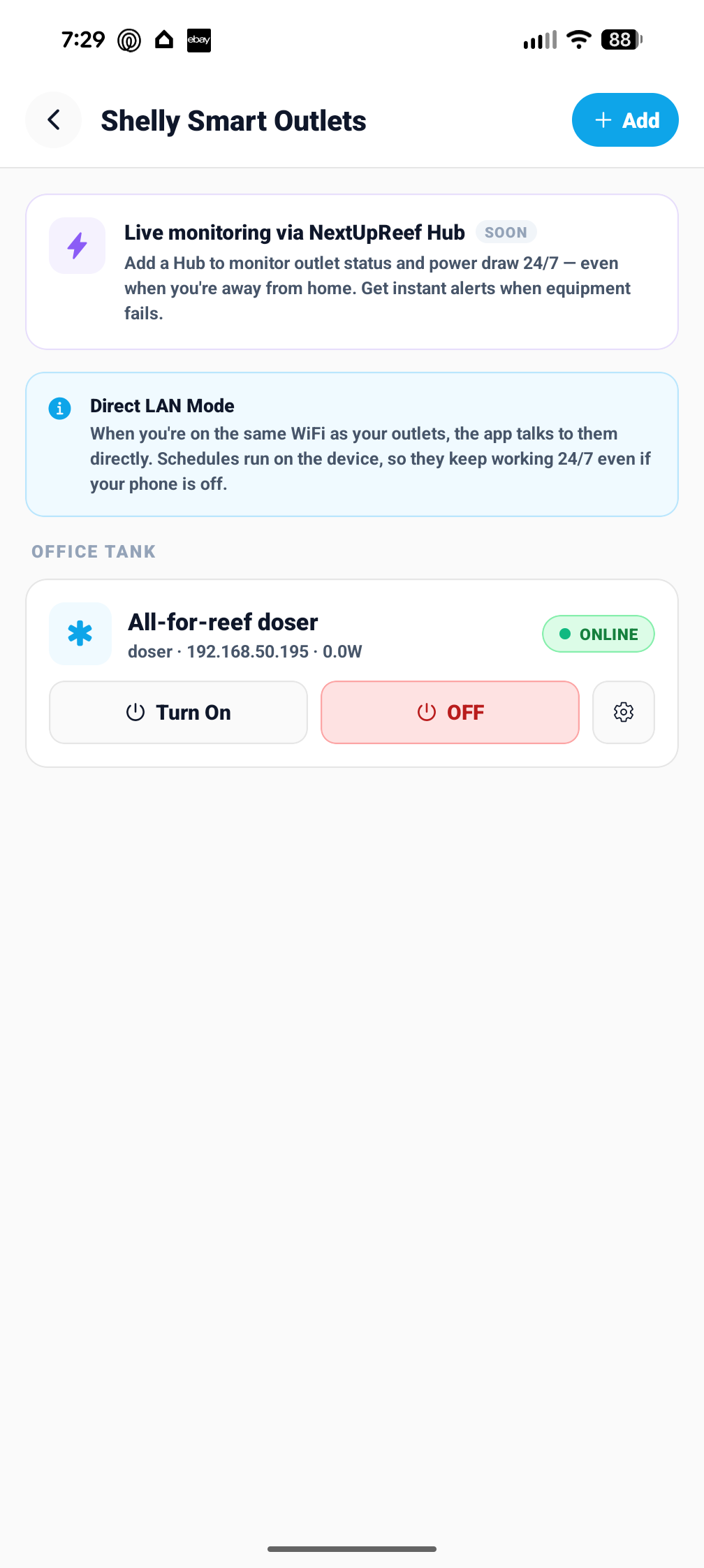
You can also reach Smart Outlets from the Devices section in the drawer.
Plug it in
Plug your Shelly Plug US Gen4 into a wall outlet near your tank. The LED should slowly blink white, meaning it's in setup mode.
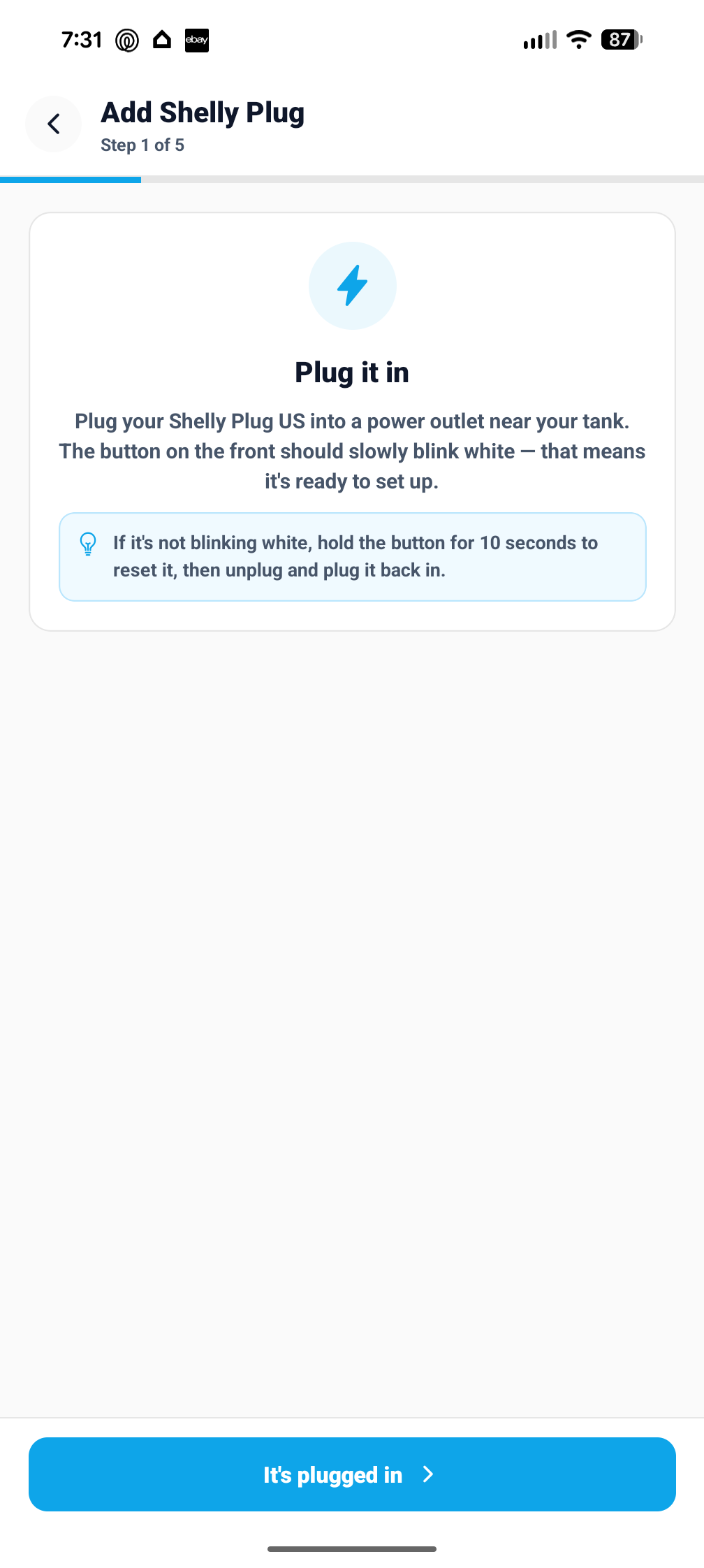
If the LED isn't blinking white, hold the button for 10 seconds to reset it, then unplug and plug back in.
Join the outlet's WiFi
Tap Open WiFi Settings. Connect to ShellyPlugUSG4-XXXXXX (no password). Switch back to NextUpReef and the app detects the outlet automatically.
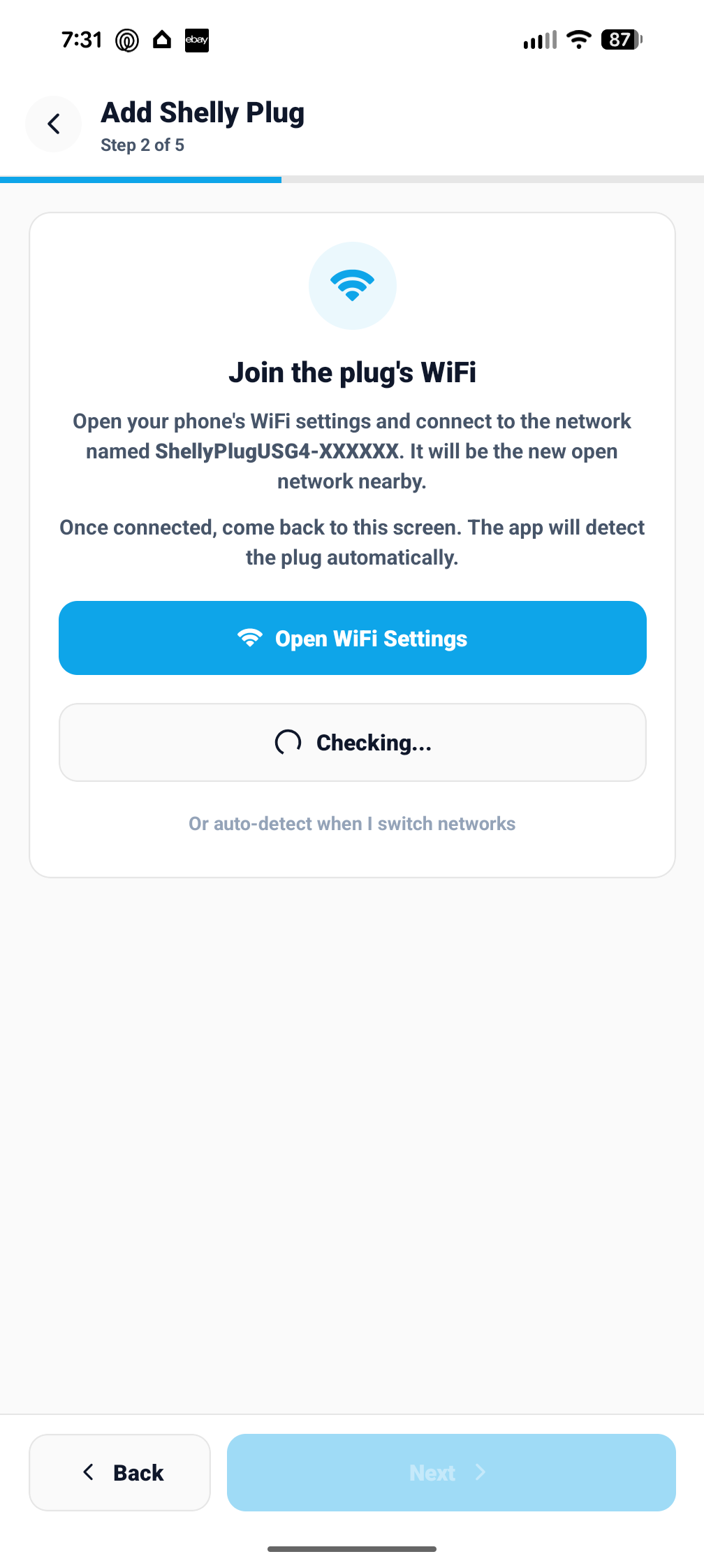
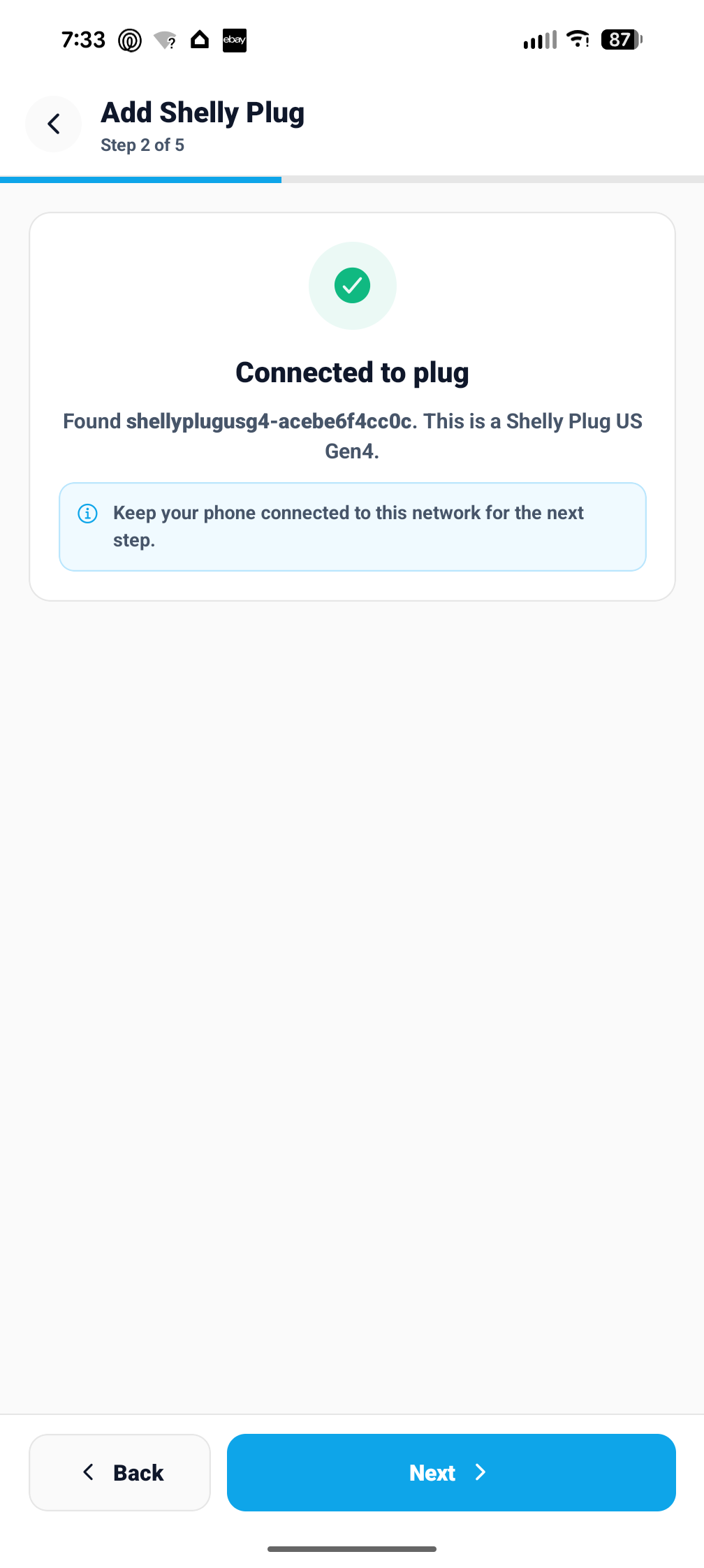
Once detected you'll see the outlet ID confirmed on screen. Tap Next.
Connect to your home WiFi
Tap Scan for networks. Pick your home network and enter your password. The outlet only supports 2.4GHz WiFi.
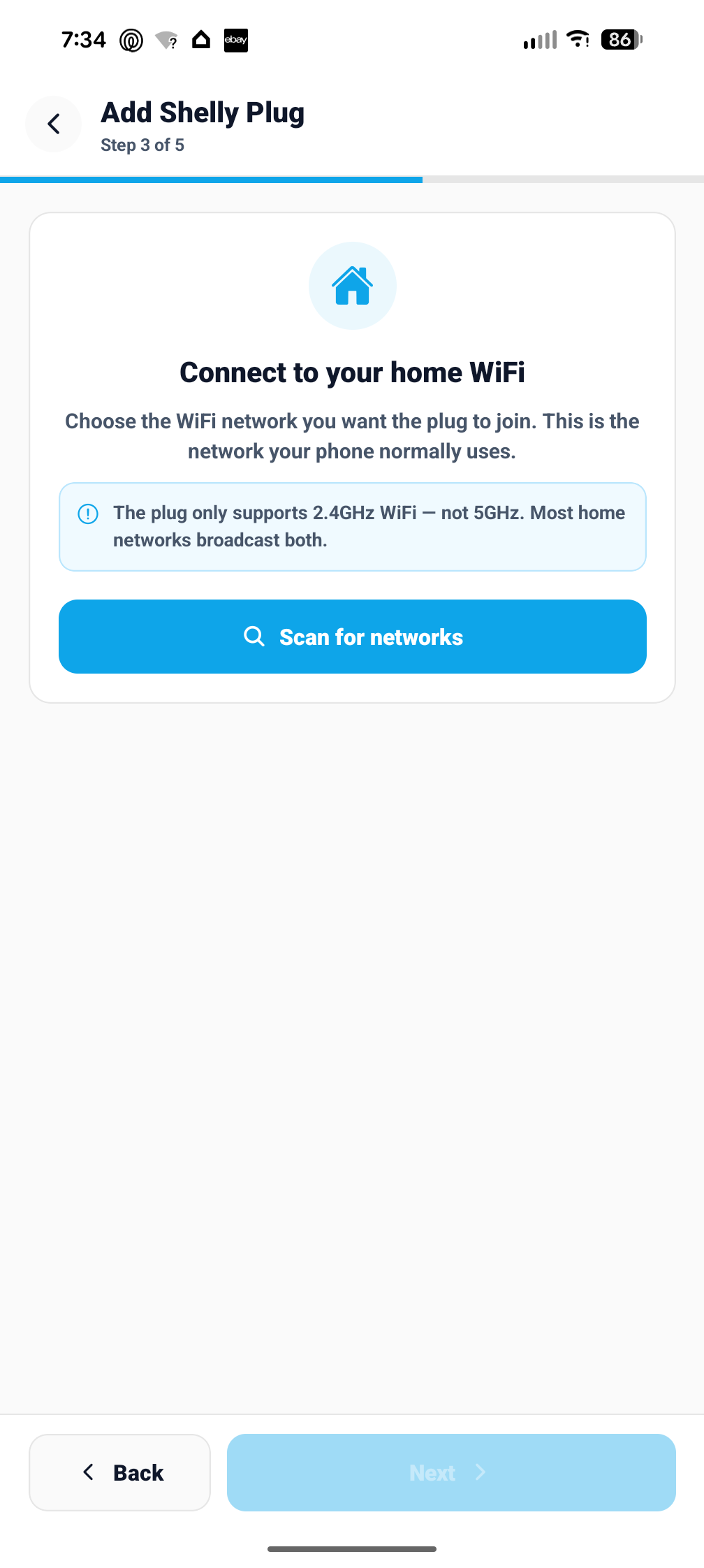
If you see two versions of your network name, pick the 2.4GHz one, not 5GHz.
Start Setup
Tap Start Setup. NextUpReef sends WiFi credentials to the outlet, which reboots and joins your home network. The app finds it automatically by hardware ID.
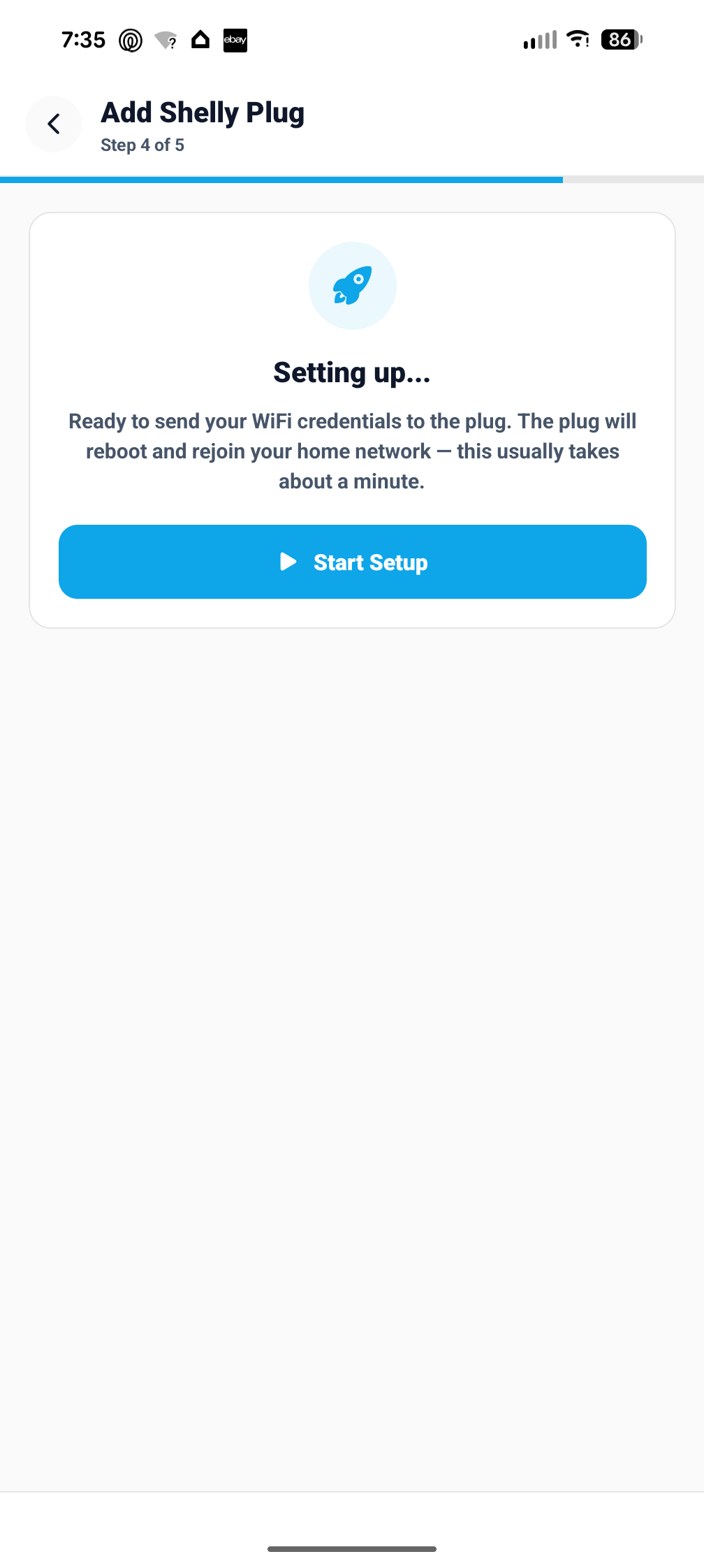
While the outlet reboots, switch your phone back to home WiFi so the app can find it.
Name it and assign to a tank
Give the outlet a name, choose what it controls (Doser, Heater, Skimmer, Light, Return Pump, or Other), and pick which tank it belongs to. Tap Finish Setup.
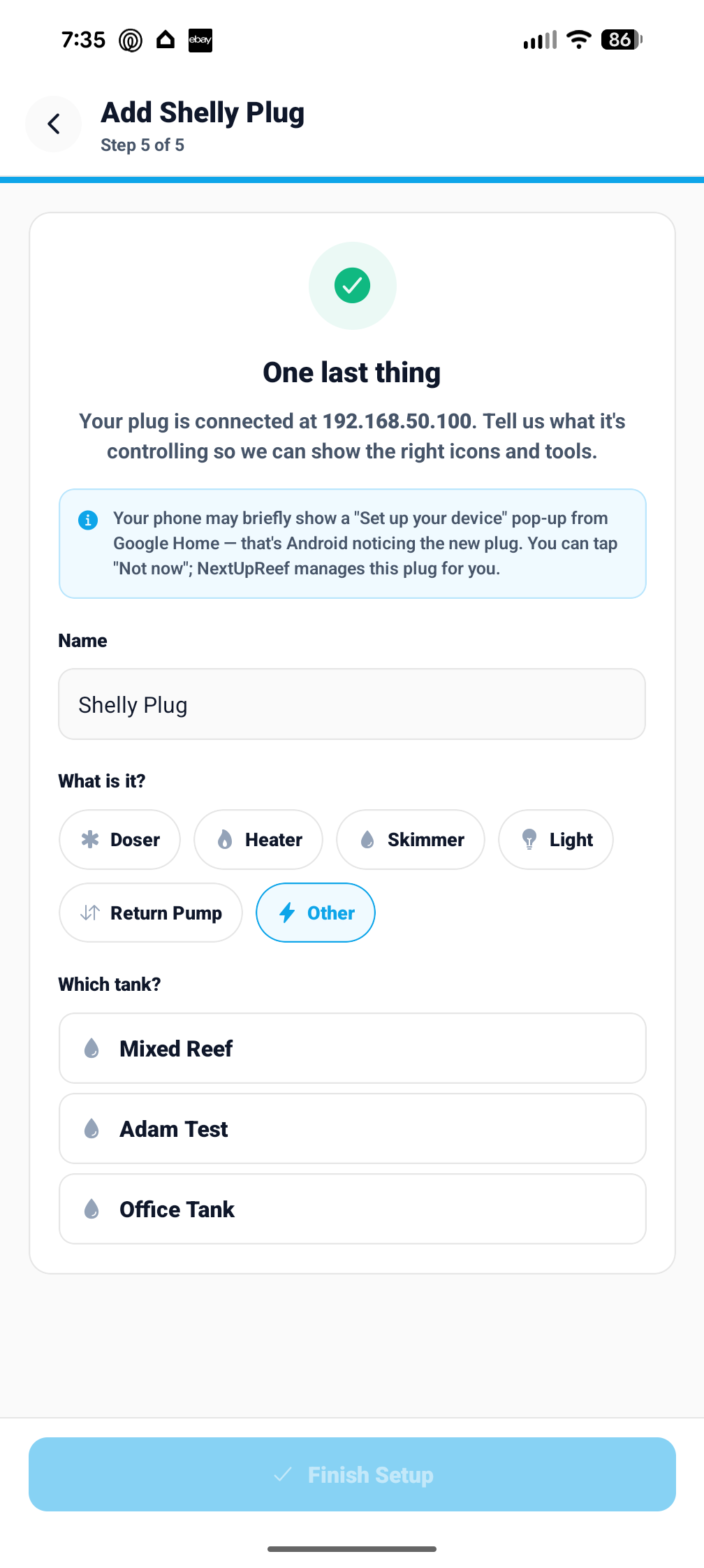
What each outlet type does
Choosing the right type unlocks the right tools in the app.
Unlocks the full dosing schedule editor. Set daily mL, doses per day, and days of the week. NextUpReef calculates burst durations and programs the outlet automatically. Dosing history is logged in real time via webhook.
Shows the heater icon and live wattage. Manual on/off and power monitoring when on home WiFi.
Skimmer icon and controls. Can be auto-paused during Feed Mode.
Unlocks the on/off schedule editor. Set an on-time and off-time; runs on the outlet 24/7.
Return pump icon and controls. Can be included in Feed Mode to bulk-pause flow.
Generic icon. Use for reactors, UV sterilizers, fans, feeders, or anything else.
Schedules run on the outlet, not the app
Once you save a schedule it lives on the Shelly outlet itself. Your schedules keep running 24/7 even when your phone is off or you're away from home.
Managing an outlet after setup
Tap the gear icon on any outlet card to open Outlet Settings. From there you can:
Rename it
Change the outlet name. Updates everywhere it appears in the app.
Change what it controls
Switch between Doser, Heater, Light, Return Pump, etc. Changes which schedule tools are shown.
Clear Everything on This Outlet
Wipes all schedules off the physical outlet and removes dosing and lighting schedules from the app. The outlet stays connected. Use this to repurpose it.
Remove This Outlet
Removes the outlet from NextUpReef only. The physical plug is untouched and can be re-added any time.
Factory Reset Outlet
Sends a factory reset to the physical plug. Wipes WiFi and all settings. The outlet drops offline and is removed from NextUpReef.
Troubleshooting
Everything in NextUpReef talks to Shelly outlets over your local network. No Shelly app or cloud account needed.
Frequently asked questions
Do I need the Shelly app?
No. NextUpReef has a built-in setup wizard. You never need to download or open the Shelly app.
Does the outlet work when I'm away from home?
Yes. Schedules run on the outlet itself 24/7, whether your phone is home or not. Live control requires being on the same WiFi.
Does NextUpReef track my dosing history?
Yes. NextUpReef registers a webhook on the outlet when you save a dosing schedule. Every dose is reported back and logged automatically.
Don’t have a Shelly outlet yet?
Pick up a Shelly Plug US Gen4 on Amazon for $24.99 — then add it to NextUpReef in 5 minutes.
Already have one? Download NextUpReef free — all new accounts get a 30-day Pro trial.